
Manage.Camp logo Manage.Camp
Resources Illustrative workflow

From Spreadsheets and Emails to a Reservation System That the Whole Team Can Use

A fictional example of moving from spreadsheets to a shared reservation workflow. This is not a customer testimonial or a report of measured results.

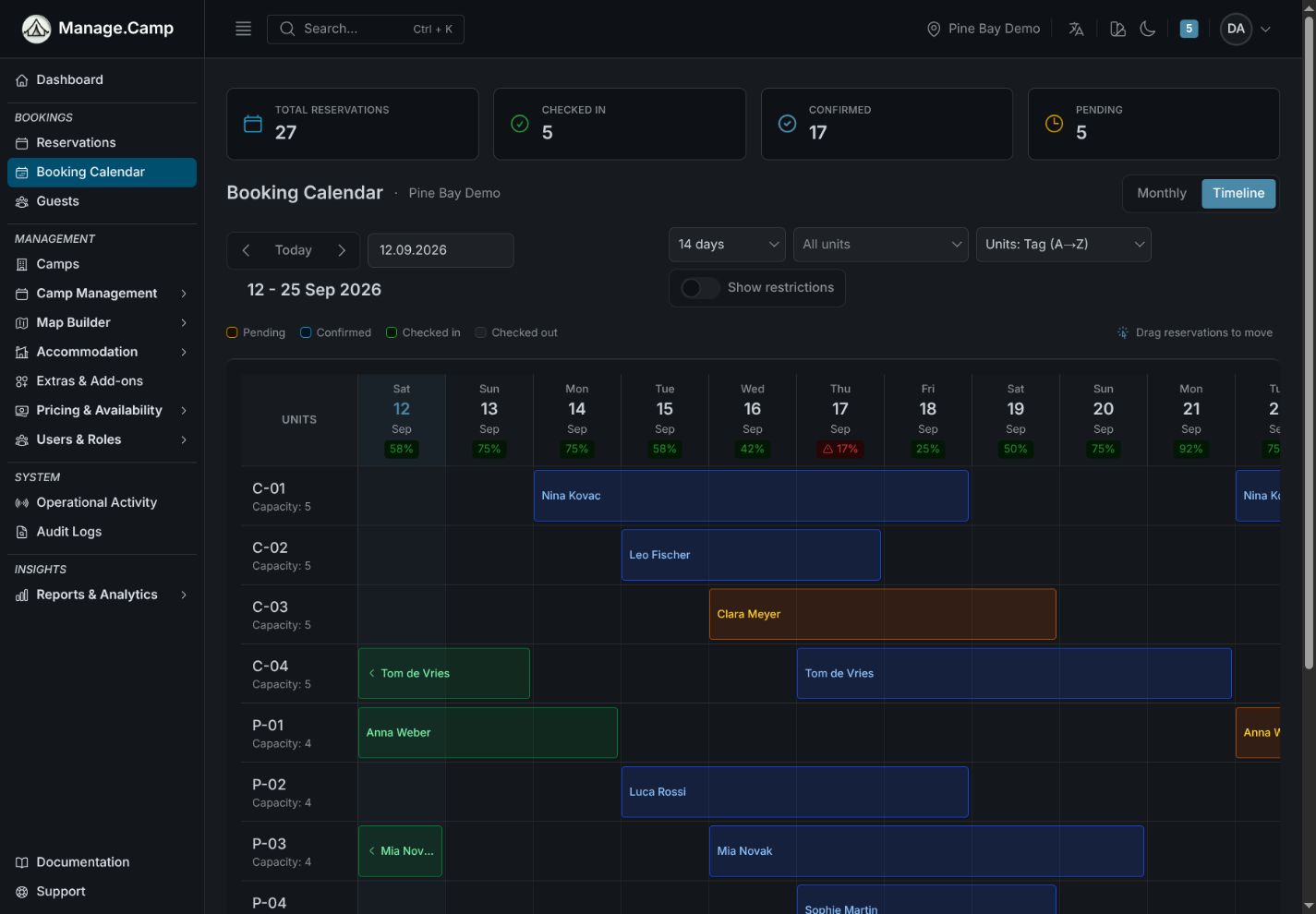
Booking Calendar
Actual interface (English) · Demo data · Timeline view with drag & drop

Signs Your Spreadsheets Are Becoming a Liability

Booking conflicts during peak season

When two staff members update the same spreadsheet from different devices, double-bookings happen. The campground usually discovers the conflict at check-in, not before.

No single source of availability

Availability lives in three places: the main spreadsheet, a staff member's personal notes, and yesterday's printout. None of them fully agree.

Pricing rules that only one person understands

Seasonal rates, minimum stays, and extra fees exist in a spreadsheet that only the owner can interpret reliably. Onboarding new staff takes weeks.

Reservation history you cannot report on

Guest data and booking history is stored in rows and sheets that were never designed to answer questions like occupancy rate, average stay length, or revenue per unit type.

The Migration Path: Five Steps That Prevent the Most Common Problems

  1. Audit your unit list first. Fix naming inconsistencies, remove duplicates, and assign unit types before importing. A clean unit list makes everything else easier.
  2. Export pricing rules to CSV and align headers to the import template. Manage.Camp's import tool validates rules before applying them, so conflicts show up before they cause problems.
  3. Guest and reservation migration is agreed during onboarding. Self-serve CSV/XLSX import for these records is not available today. Decide which history you need for operations and record keeping. Keep a readable archive and agree which records to migrate before switching.
  4. Run the new system in parallel for one to two weeks. Keep the spreadsheet as a read-only reference while staff get comfortable. Do not update both simultaneously — pick the new system as the source of truth from day one.
  5. Archive the old spreadsheet and confirm the new system is the only operational source. Communicate this clearly to all staff. Ambiguity about which tool is current is the main source of post-migration errors.

What Actually Migrates

Self-serve import for units and pricing rules is now available with preview-before-apply review, CSV/XLSX uploads, and corrected-file re-upload if blocking errors are found. Guided onboarding is still available if you want migration help.

Guest and reservation migration is agreed during onboarding. Self-serve CSV/XLSX import for these records is not available today.

Timing depends on data quality, volume and the agreed scope. Review a sample export with us before choosing a cutover date.

A Similar Situation?

If your spreadsheet situation is recognizable in this guide, the next step is a conversation about your specific setup — unit count, season structure, and what urgency looks like.